
 Türkçe
 English
 Français
 Deutsch
What is a digital archive? A step-by-step setup guide for organisations
A digital archive means barcoding paper documents, scanning and indexing them, and making them accessible by authorisation. Here is the setup order and what to watch out for.
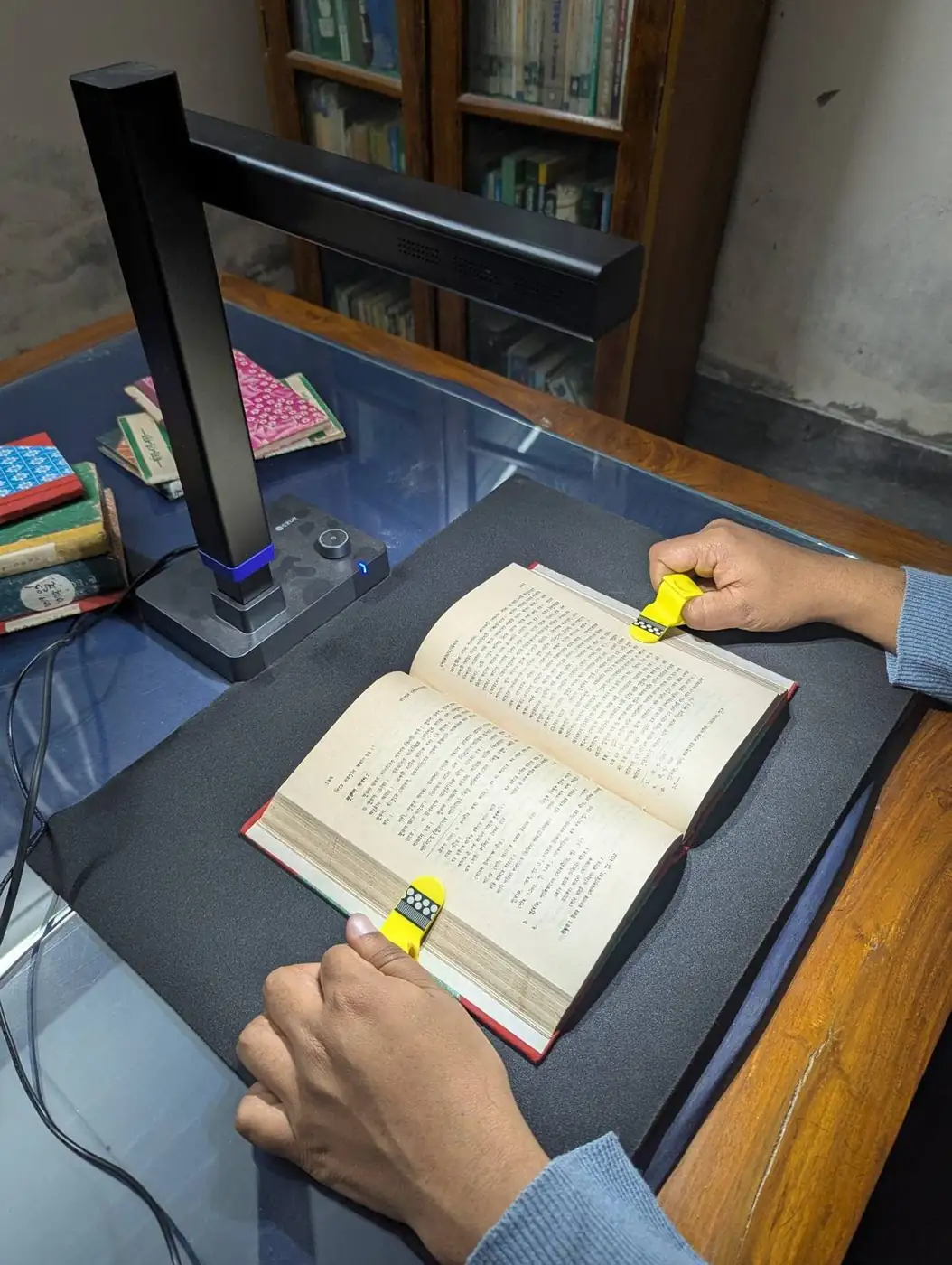
A digital archive means barcoding paper documents, scanning them one by one, transferring them to an electronic environment, indexing them and making them accessible according to user authorisation. Your physical archive stays in place, properly organised, while you reach any document in a few seconds without walking along the shelves. In this guide we explain the order in which an organisation should set up its digital archive.
Is a digital archive the same as a physical archive?
No. A physical archive is where the paper originals are kept; a digital archive holds a scanned, indexed and searchable copy of the same documents. The two do not replace each other, they complement each other. Series of documents whose originals must legally be retained stay intact, and the digital archive gives fast access to them without wearing them out. Internal correspondence with no legal retention requirement can be destroyed after it has been transferred to digital form, if you wish.
What steps does it take to set up a digital archive?
- Feasibility study and inventory: Information is collected from department representatives using forms tailored to the organisation. The document types that exist and the retention period of each type are identified.
- Retention plan: A plan is made so that documents past their retention period go to disposal and those with research value are transferred to Turkey’s State Archives. This keeps the volume of documents to be scanned from growing unnecessarily.
- Physical organisation and barcoding: Documents are barcoded one by one according to their level of description, placed in boxes and linked to a shelf address.
- Scanning: Documents are transferred to the digital environment with a scanner suited to their type. Contactless book scanners are used for bound or fragile materials.
- Indexing: Searchable information (type, date, unit, subject) is entered for every document. A good index is what really determines the value of a digital archive.
- Transfer to a management system: The records are transferred to a Digital Archive Management System that offers authorisation and loan-and-return tracking.
What benefits does a digital archive bring to an organisation?
- Several users can examine the same records at the same time
- No more wear and tear caused by documents constantly changing hands
- Higher labour efficiency and lower costs
- Fewer loan-and-return problems, and you always know who holds a document
- No loss of time or space; less storage is needed because documents due for disposal are weeded out
- The archive can be opened to research use according to user authorisation
What are the most common mistakes before moving to a digital archive?
The most common mistake is to start scanning without taking an inventory. When it is not known which document will be kept for how long, documents that should be destroyed are scanned too, and both time and budget are wasted. The second mistake is to think about index fields afterwards; the information by which a document will be found must be decided before scanning begins. The third mistake is to neglect the physical order: because a barcoded, addressed physical archive is matched to the digital copy through the same index, the same document ID is used in both environments in the future.
How is information security ensured in a digital archive?
A digital archive requires authorisation, access logging and backup. Dijital Yazılım’s digital archive, document and media archive management systems, together with its historical document digitisation activities, are carried out within an Information Security Management System compliant with TS EN ISO/IEC 27001:2022. You can also read our article that covers the subject in detail: ISO 27001 and digital archive security.
Frequently asked questions
Can we destroy the paper originals after setting up a digital archive?
Documents whose originals must legally be kept continue to be kept. Internal correspondence with no legal retention requirement can be destroyed after being transferred to digital form, if you wish. The materials due for disposal are listed and submitted to your organisation’s destruction committee for approval.
What should be done first when moving to a digital archive?
First, document types and retention periods are determined through a feasibility study and an inventory; then the documents are barcoded, scanned and indexed.
What is the difference between a digital archive and a management system?
A digital archive is the service of scanning, indexing and transferring documents. A Digital Archive Management System is the software in which the records are stored, searched and shared according to authorisation; the two are set up together.
Where should you start with your archive?
If you are not sure which step to begin with, we start the first meeting with a feasibility study and an inventory. The digital archive assessment and the initial meeting are free of charge; you can fill in the form on the contact page or call +90 (212) 588 51 44.